We Use CookiesWe use cookies to enhance the security, performance, functionality and for analytical and promotional activities. By continuing to browse this site you are agreeing to our privacy policy

10 Best All In One Laser Printers 2026 in the United States

#1

Winner

10.0 score

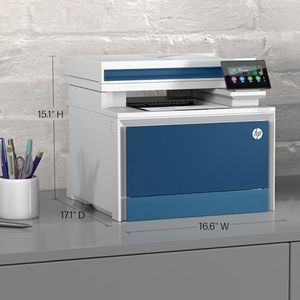
HP Color LaserJet Pro MFP 3301sdw Wireless All-in-One Color Laser Printer, Office Printer, Scanner, Copier, ADF, Duplex, Best-for-Office (499Q3F)

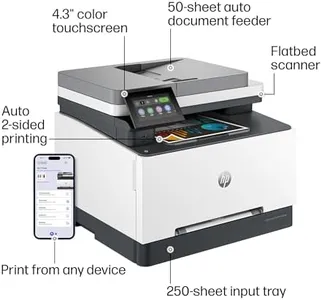
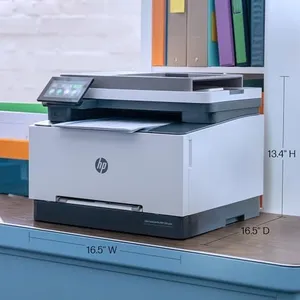
The HP Color Laserjet Pro MFP 3301sdw is a robust all-in-one laser printer designed for small office teams. One of its key strengths is its print speed, capable of producing up to 26 pages per minute in both black and color, which is quite efficient for busy work environments. The print quality is enhanced by the next-generation TerraJet toner, ensuring vivid and professional-looking documents. Additionally, the printer supports Original HP toner cartridges, which can be more reliable and produce higher quality prints than third-party alternatives.

Rating
10.0
Chosen by1,137
Print Speed
Print Quality
Connectivity Options

Most important from
1052 reviews

Print Speed
Fast printing speed and amazing copy quality, even capturing faint details on crumpled receipts.
Print Quality
Print and color quality is superb, making documents look professional and vivid.
Connectivity Options
Setting up the printer was easy and connecting to Wi-Fi was painless.
Paper Handling
The drawer feed design prevents paper jams, a significant improvement over older inkjet models.
Scanning Features
USB port availability for scanning to memory sticks adds to its versatile functionality.
#2
9.1 score

Brother MFC-L8900CDW Business Color Laser All-in-One Printer, Amazon Dash Replenishment Ready
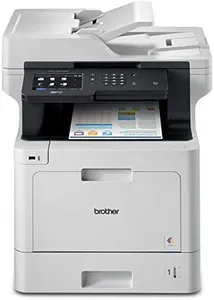
The Brother MFC-L8900CDW is a robust all-in-one laser printer ideal for business settings. It boasts impressive print speeds of up to 33 pages per minute (ppm) for both color and monochrome, which is excellent for high-volume tasks. The print quality is high-impact color, which should meet the needs of most businesses that require professional-looking documents. Its 70-page auto document feeder and duplex scanning capabilities make it efficient for handling large scanning tasks quickly, scanning single-sided pages at 28 images per minute (ipm) and double-sided pages at 56 ipm. This feature is particularly useful for offices that need to digitize a lot of paperwork efficiently.

Rating
9.1
Print Quality
Monthly Duty Cycle
Connectivity Options

Most important from
1919 reviews

Print Quality
Print quality is excellent with good color accuracy, though the heaviest paper needs to be fed through the bypass tray.
Monthly Duty Cycle
The Brother MFC-L8900CDW has proven to be a reliable workhorse, handling thousands of pages per month with minimal issues.
Connectivity Options
The printer's flexible connectivity options, including wireless and gigabit ethernet, make it easy to set up and share across a network.
Scanning Features
The automatic document feeder works efficiently, scanning both sides in one pass and speeding up large scanning tasks.
Additional Features
Setup is straightforward, even for a single person, and the 5-inch touchscreen makes navigation intuitive.
#3
8.8 score

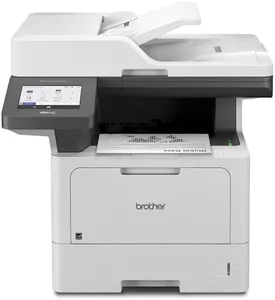
Brother MFC-L3780CDW Wireless Digital Color All-in-One Printer with Laser Quality Output, Single Pass Duplex Copy & Scan | Includes 2 Month Refresh Subscription Trial, Works with Alexa

The Brother MFC-L3780CDW is a versatile all-in-one laser printer, ideal for small businesses and home offices. One of its standout features is the print speed, achieving up to 31 pages per minute (ppm) for both monochrome and color prints, making it efficient for busy environments. The print quality is reliable, with a maximum resolution of 2400 x 600 dpi, ensuring sharp and professional documents. Additionally, the single-pass duplex copy and scan feature saves time when handling double-sided documents. The device also supports a range of paper sizes and types, like plain paper, envelopes, and glossy photo paper, with a maximum sheet capacity of 250 sheets.

Rating
8.8
Print Speed
Print Quality
Paper Handling

Most important from
726 reviews

Print Speed
Print speed and quality are good, and the setup is simple.
Print Quality
This Brother laser printer is light years ahead of my old Canon in terms of quality, ease of use, and speed.
Paper Handling
Finding a printer that doesn't suck is like finding the holy grail, and this printer is it! It's easy to set up, fast, and quiet, with no issues like paper jams.
Scanning Features
This Brother laser printer is light years ahead of my old Canon in terms of quality, ease of use, and speed. The single-pass duplex scanning is a standout feature.

Top 10 Best All In One Laser Printers 2026 in the United States

#1

Winner

10.0  score

HP Color LaserJet Pro MFP 3301sdw Wireless All-in-One Color Laser Printer, Office Printer, Scanner, Copier, ADF, Duplex, Best-for-Office (499Q3F)
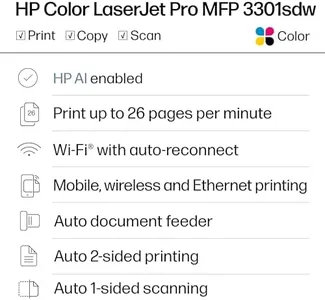
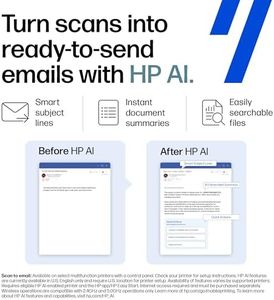
Print Speed: 26 pages per minute
Print Quality: enhanced by TerraJet toner
Monthly Duty Cycle: moderate to high volume
Connectivity Options: dual-band Wi-Fi, USB
Paper Handling: 250-sheet tray, duplex printing
Scanning Features: auto document feeder
Additional Features: HP app, Wolf Pro Security, sustainable

Chosen by 1137 this week

Brother MFC-L8900CDW Business Color Laser All-in-One Printer, Amazon Dash Replenishment Ready

Print Speed: 33 ppm
Print Quality: high-impact color
Connectivity Options: Gigabit Ethernet, wireless, NFC
Paper Handling: 70-page Auto-Document Feeder
Scanning Features: 28 ipm single-sided, 56 ipm double-sided
Additional Features: 5.0" Color Touchscreen, print from USB

HP Color LaserJet Pro MFP 4301fdw Wireless All-in-One Color Laser Printer, Scanner, Copier, Fax, Best-for-Office

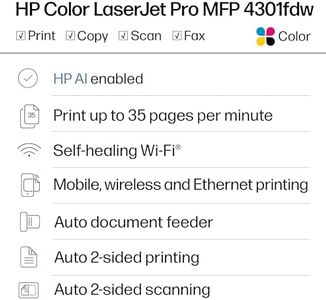
Print Speed: 35 color pages per minute
Print Quality: 600 x 600
Monthly Duty Cycle: up to 10 users
Connectivity Options: USB, Ethernet, Wi-Fi
Paper Handling: 300 sheets
Scanning Features: Sheetfed
Additional Features: All in One, Copy, Scan, Security

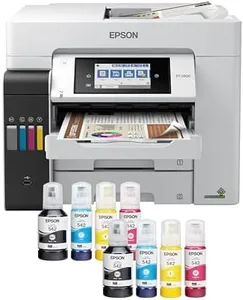
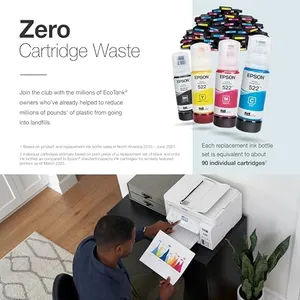
Epson EcoTank ET-4800 Wireless All-in-One Cartridge-Free Supertank Printer with Scanner, Copier, Fax, ADF and Ethernet – Ideal-for Your Home Office, White

Print Speed: 10 ppm (black), 5 ppm (color)
Print Quality: Micro Piezo Heat-Free Technology
Connectivity Options: Ethernet, Wi-Fi, USB
Paper Handling: 100 sheets
Scanning Features: High-resolution scanner, Flatbed, Sheetfed
Additional Features: Refillable Ink Tank, All In One

Canon imageCLASS MF753Cdw - Wireless Duplex Color Laser Printer, All-in-One with Scanner, Copier, Fax, Auto Document Feeder, Mobile Ready, 3 Year Limited Warranty, 35 PPM, White

Print Speed: 35 ppm
Print Quality: 1200 x 1200 dpi
Monthly Duty Cycle: robust monthly cycle
Connectivity Options: Wi-Fi, USB, Ethernet
Paper Handling: 250-sheet cassette, 50-sheet tray
Scanning Features: two-sided scanning
Additional Features: Auto-Duplex, ENERGY STAR Certified

HP Laserjet Pro MFP 4101fdw Wireless Black & White All-in-One Laser Printer, Scanner, Copier, Fax, Best-for-Office (2Z619F)
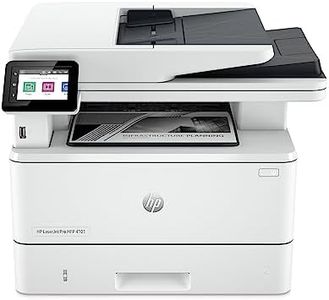
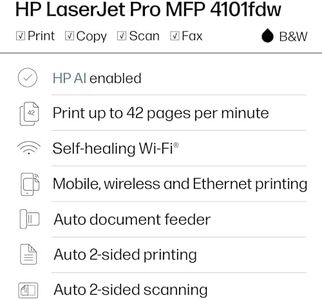
Print Speed: 42 pages per minute
Print Quality: 1200 x 1200 dpi
Connectivity Options: USB, Ethernet, Wi-Fi
Paper Handling: Max input: 350 sheets, Max output: 150
Scanning Features: Flatbed, Sheetfed
Additional Features: Auto Document Feeder, Dual-sided printing, HP Wolf

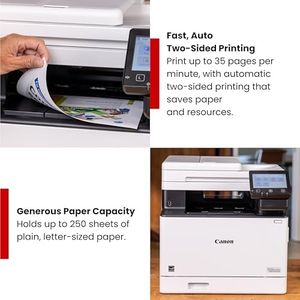
Canon Color imageCLASS MF753Cdw II - Wireless Duplex Laser Printer, All-in-One with Scanner, Copier, Fax, Auto Document Feeder, 3 Year Limited Warranty, 35 PPM

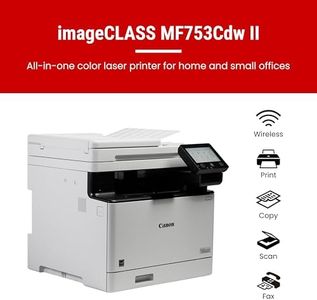
Print Speed: 35 ppm
Print Quality: 1200 x 1200 dpi
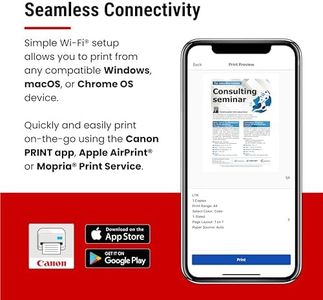
Connectivity Options: wireless, Ethernet, USB, mobile
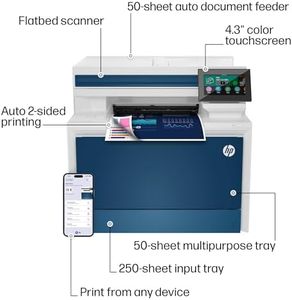
Paper Handling: 250-sheet tray, 50-sheet multipurpose, duplex
Scanning Features: 50-sheet duplex document feeder
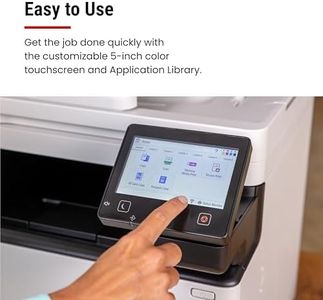
Additional Features: 5-inch color touchscreen, app library
How do we rank products for you?

Our technology thoroughly searches through the online shopping world, reviewing hundreds of sites. We then process and analyze this information, updating in real-time to bring you the latest top-rated products. This way, you always get the best and most current options available.

headphones-stars

Buying Guide for the Best All In One Laser Printers

Choosing the right all-in-one laser printer can be a bit overwhelming given the variety of models and features available. An all-in-one laser printer is a versatile device that combines printing, scanning, copying, and sometimes faxing capabilities into one machine. This makes it an excellent choice for both home offices and small to medium-sized businesses. To make an informed decision, it's important to understand the key specifications and how they align with your specific needs. Here are the main specs to consider when selecting an all-in-one laser printer.
Print SpeedPrint speed is measured in pages per minute (PPM) and indicates how quickly the printer can produce documents. This is important if you need to print large volumes of documents regularly. Printers with a print speed of 20-30 PPM are suitable for home offices or small businesses with moderate printing needs. For larger offices or businesses with high printing demands, look for models with speeds of 30 PPM or higher. Consider your typical print volume to determine the right speed for you.
Print QualityPrint quality is measured in dots per inch (DPI) and determines the clarity and detail of the printed documents. Higher DPI values result in sharper and more detailed prints. For general office use, a printer with 600 x 600 DPI is usually sufficient. If you need to print high-quality graphics or detailed images, look for models with 1200 x 1200 DPI or higher. Assess the type of documents you will be printing most often to choose the appropriate print quality.
Monthly Duty CycleThe monthly duty cycle is the maximum number of pages a printer can handle in a month without experiencing wear and tear. This is crucial for ensuring the longevity and reliability of the printer. For home offices or small businesses, a duty cycle of up to 10,000 pages per month is typically adequate. For larger businesses with higher printing demands, look for printers with a duty cycle of 20,000 pages or more. Estimate your monthly print volume to select a printer with a suitable duty cycle.
Connectivity OptionsConnectivity options determine how you can connect the printer to your devices. Common options include USB, Ethernet, Wi-Fi, and Bluetooth. Wi-Fi and Ethernet are ideal for networked environments where multiple users need access to the printer. USB connections are suitable for direct, one-on-one connections. Bluetooth is useful for printing from mobile devices. Consider your office setup and how you plan to connect to the printer to choose the right connectivity options.
Paper HandlingPaper handling refers to the types and sizes of paper the printer can accommodate, as well as the capacity of its paper trays. This is important for ensuring the printer can handle your specific printing needs. Look for printers with multiple paper trays if you need to print on different types of paper frequently. For standard office use, a printer with a 250-sheet input tray is usually sufficient. If you print large volumes or need to use specialty paper, consider models with higher capacity and additional trays. Think about the types of documents you print and the paper sizes you use to determine the right paper handling capabilities.
Scanning FeaturesScanning features include the resolution, speed, and capabilities of the scanner. Higher resolution scanners produce more detailed digital copies, which is important for archiving documents or creating high-quality digital images. Scanning speed is measured in pages per minute (PPM) and is important if you need to scan large volumes of documents quickly. Some all-in-one printers also offer duplex scanning, which allows you to scan both sides of a document simultaneously. Consider how often you will use the scanning function and the quality you need to choose the right scanning features.
Additional FeaturesAdditional features can enhance the functionality and convenience of the printer. These may include automatic duplex printing (printing on both sides of the paper), an automatic document feeder (ADF) for scanning or copying multiple pages at once, and touchscreen controls for easier navigation. Some models also offer mobile printing capabilities, allowing you to print directly from your smartphone or tablet. Think about which additional features will be most useful for your workflow and choose a printer that offers those capabilities.

FAQ