We Use CookiesWe use cookies to enhance the security, performance, functionality and for analytical and promotional activities. By continuing to browse this site you are agreeing to our privacy policy

10 Best Multifunction Printers 2026 in the United States

#1

Winner

10.0 score

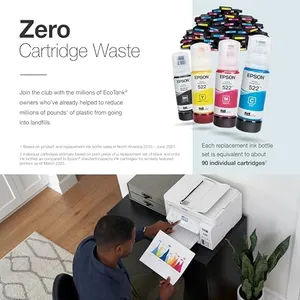
Epson EcoTank ET-2800 Wireless Color All-in-One Cartridge-Free Supertank with Scan and Copy, The Ideal Basic Home Printer - White

The Epson EcoTank ET-2800 is a solid choice if you want a basic home multifunction printer that saves money on ink. Instead of traditional cartridges, it uses large refillable ink tanks, which can print thousands of pages before needing a refill, helping you avoid frequent and costly cartridge replacements. This makes it ideal for users who print moderately and want to keep running costs low.

Rating
10.0
Chosen by1,378
Print Quality
Ink or Toner Costs
Connectivity Options

Most important from
19729 reviews

Print Quality
Print quality is exceptionally sharp and vibrant, delivering text that looks laser-carved and colors that pop like animated movies.
Ink or Toner Costs
The ink system is impressively economical, lasting for hundreds of pages with minimal refills and eliminating the hassle and mess of cartridges.
Connectivity Options
Wireless connectivity can be inconsistent at times, occasionally requiring some troubleshooting to maintain a stable connection.
Paper Handling
The printer reliably handles a variety of print jobs, from documents to photos and different paper sizes, making it versatile for home use.
Duplex Printing
Manual duplex printing requires flipping pages yourself, which is a minor inconvenience for users printing double-sided documents.
#2
9.1 score

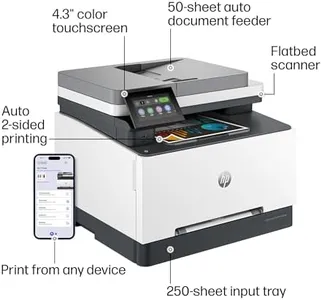
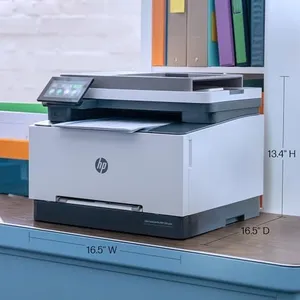
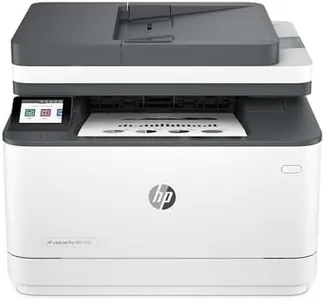
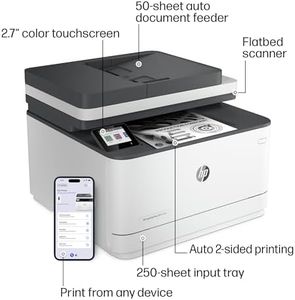
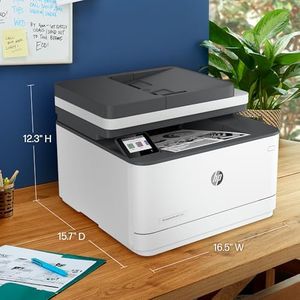
HP Color LaserJet Pro MFP 3301sdw Wireless All-in-One Color Laser Printer, Office Printer, Scanner, Copier, ADF, Duplex, Best-for-Office (499Q3F)

The HP Color Laserjet Pro MFP 3301sdw is designed for small teams needing a reliable multifunction printer. It performs well in several areas crucial for office use. For instance, it offers solid print speeds of up to 26 pages per minute for both black and color documents, which can help maintain productivity in busy work environments. The print quality is enhanced by the next-generation TerraJet toner, ensuring vivid colors in professional documents, which is a significant advantage for businesses focused on quality presentations.

Rating
9.1
Print Speed
Print Quality
Connectivity Options

Most important from
1054 reviews

Print Speed
It prints so fast, and the quality of the copies is amazing, capturing every detail.
Print Quality
Print and color quality is superb, and setup is easy.
Connectivity Options
Connecting to Wi-Fi was painless, with zero paper jams so far.
Paper Handling
Connecting to Wi-Fi was painless, with zero paper jams so far.
Scanning Features
The printer includes a USB port for scanning to a memory stick, which is very convenient.
Ink or Toner Costs
The initial toner cartridge lasts long, even with frequent use.
#3
8.8 score

HP Color LaserJet Pro MFP 4301fdw Wireless All-in-One Color Laser Printer, Scanner, Copier, Fax, Best-for-Office

The HP Color LaserJet Pro MFP 4301fdw is a strong contender for small office environments, designed to handle the needs of up to 10 users. One of its standout features is its print speed, managing up to 35 color pages per minute, which is quite impressive for office productivity. The print quality is solid with a resolution of 600 x 600, ensuring professional-looking documents with sharp details and vibrant colors. It offers versatile connectivity options including USB, Ethernet, and wireless printing from mobile devices, making it easy to integrate into different office setups.

Rating
8.8
Print Speed
Print Quality
Scanning Features

Most important from
590 reviews

Print Speed
Works flawlessly and impressively fast, providing perfect print quality.
Print Quality
Works flawlessly and impressively fast, providing perfect print quality.
Scanning Features
Fast full duplex scans and excellent print quality, though toner costs are high.
Duplex Printing
Prints double-sided but can be inconsistent with settings, requiring patience.
Ink or Toner Costs
Fast full duplex scans and excellent print quality, though toner costs are high.

Top 10 Best Multifunction Printers 2026 in the United States

#1

Winner

10.0  score

Epson EcoTank ET-2800 Wireless Color All-in-One Cartridge-Free Supertank with Scan and Copy, The Ideal Basic Home Printer - White

Print Speed: 10 ppm black, 5 ppm color
Print Quality: 5760 x 1440 DPI
Connectivity Options: wired USB, wireless
Paper Handling: 2 trays, 100 sheets input max
Scanning Features: Flatbed scanner
Duplex Printing: Manual
Ink or Toner Costs: Refillable ink tanks

Chosen by 1378 this week

HP Color LaserJet Pro MFP 3301sdw Wireless All-in-One Color Laser Printer, Office Printer, Scanner, Copier, ADF, Duplex, Best-for-Office (499Q3F)
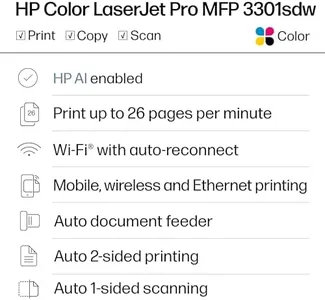
Print Speed: 26 pages per minute
Print Quality: vivid colors with TerraJet toner
Connectivity Options: dual-band Wi-Fi, USB, smartphones
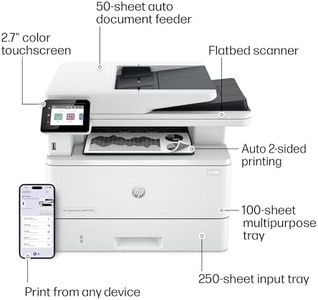
Paper Handling: 250-sheet tray, automatic feeder
Scanning Features: Flatbed
Duplex Printing: automatic
Ink or Toner Costs: standard and higher yield cartridges

HP Color LaserJet Pro MFP 4301fdw Wireless All-in-One Color Laser Printer, Scanner, Copier, Fax, Best-for-Office
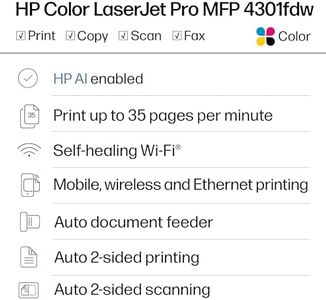
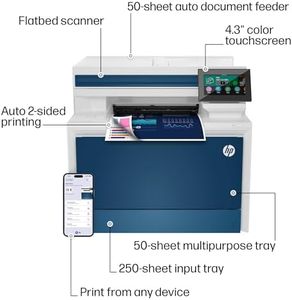
Print Speed: 35 color pages per minute
Print Quality: 600 x 600
Connectivity Options: USB, Ethernet, wireless printing
Paper Handling: Automatic feeder, 150 sheets capacity
Scanning Features: Automatic feeder, Sheetfed
Duplex Printing: Automatic
Ink or Toner Costs: higher consumable costs

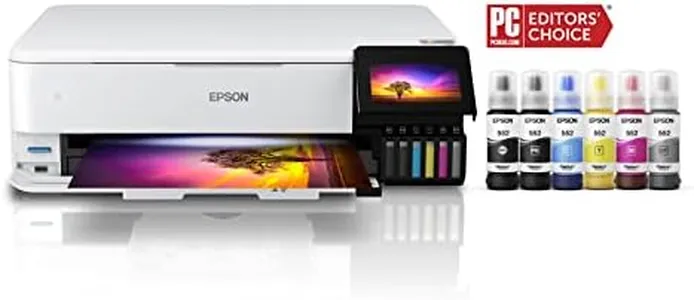
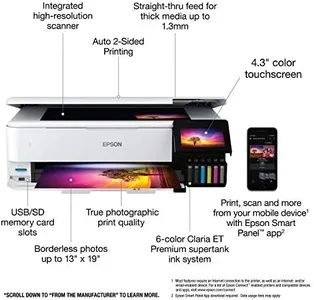
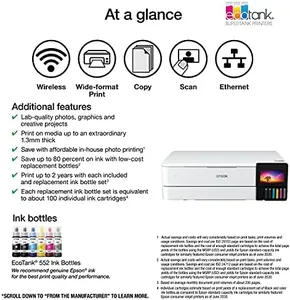
Epson EcoTank Photo ET-8550 Wireless Wide-format Color All-in-One Supertank Printer with Scanner Copier, Ethernet and 4.3-inch Colorfull Touchscreen

Print Speed: 16 ppm Mono, 12 ppm Color
Print Quality: 5760 x 1440 dpi Color
Connectivity Options: Wireless, USB, iOS, Android
Paper Handling: Up to 13" x 19"
Scanning Features: Photo Scanner, no auto feeder
Duplex Printing: Automatic
Ink or Toner Costs: High-yield ink, 4 cents per photo

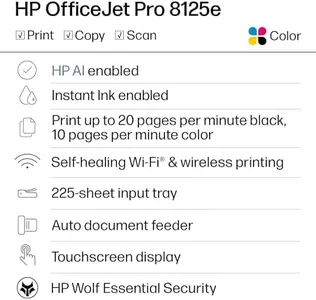
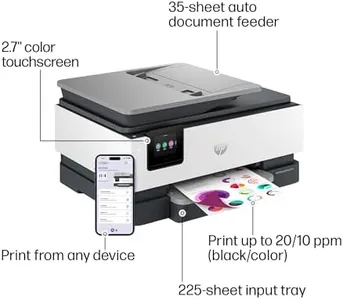
HP OfficeJet Pro 8125e Wireless All-in-One Color Inkjet Printer, Print, scan, Copy, ADF, Duplex Printing Best-for-Home Office, 3 Month Instant Ink Trial Included, AI-Enabled (405T6A)

Print Speed: 20 ppm black, 10 ppm color
Print Quality: 1200x1200 dpi black, 4800x1200 color
Connectivity Options: Wi-Fi dual-band, USB, Ethernet, AirPrint
Paper Handling: 225-sheet tray, automatic document feeder
Scanning Features: Flatbed scanner, single-sided ADF
Duplex Printing: Automatic duplex printing standard
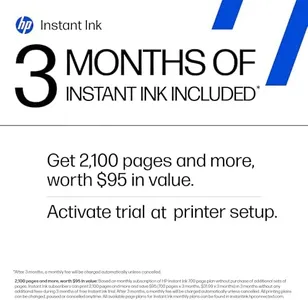
Ink or Toner Costs: HP Instant Ink subscription after 6 months

Epson EcoTank ET-4800 Wireless All-in-One Cartridge-Free Supertank Printer with Scanner, Copier, Fax, ADF and Ethernet – Ideal-for Your Home Office, White

Print Speed: 10 ppm (mono), 5 ppm (color)
Print Quality: Micro Piezo Heat-Free Technology
Connectivity Options: Ethernet, Wi-Fi, USB
Paper Handling: 100 sheets
Scanning Features: High-res scanning, Flatbed, Sheetfed
Duplex Printing: Yes
Ink or Toner Costs: High-capacity ink tanks, up to 4,500 black

HP Laserjet Pro MFP 3101fdw Wireless Black & White All-in-One Laser Printer, Scanner, Copier, Fax, Best-for-Office (3G628F)
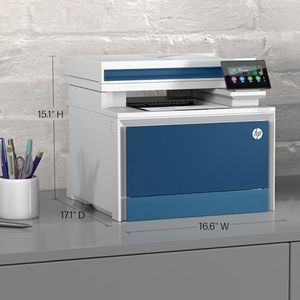

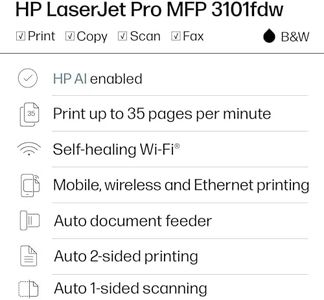
Print Speed: 35 pages per minute
Print Quality: 1200 x 1200 dpi
Connectivity Options: Wi-Fi, Ethernet, USB, Bluetooth, mobile
Paper Handling: 250-sheet tray, automatic feeder
Scanning Features: Flatbed scanner
Duplex Printing: Automatic
Ink or Toner Costs: Requires original HP toner cartridges

HP Laserjet Pro MFP 4101fdw Wireless Black & White All-in-One Laser Printer, Scanner, Copier, Fax, Best-for-Office (2Z619F)
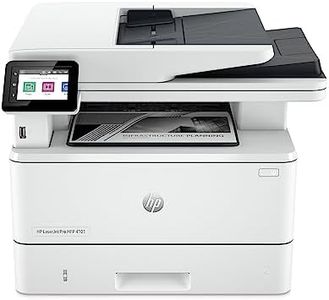
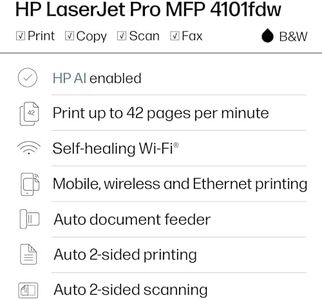
Print Speed: 42 pages per minute
Print Quality: 1200 x 1200
Connectivity Options: USB, Ethernet, Wi-Fi
Paper Handling: Auto Document Feeder, Dual-sided printing
Scanning Features: Flatbed, Sheetfed
Duplex Printing: Automatic
Ink or Toner Costs: Higher ongoing toner costs

Canon Color imageCLASS MF753Cdw II - Wireless Duplex Laser Printer, All-in-One with Scanner, Copier, Fax, Auto Document Feeder, 3 Year Limited Warranty, 35 PPM

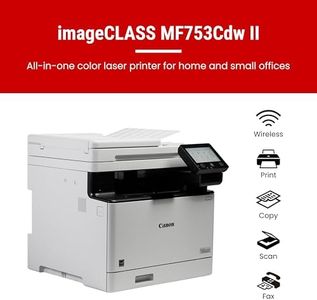
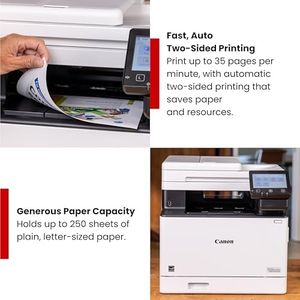
Print Speed: 35 ppm
Print Quality: 1200 x 1200 dpi
Connectivity Options: Ethernet, USB, Wi-Fi
Paper Handling: 250-sheet tray, 50-sheet multipurpose, ADF
Scanning Features: ADF, scans both sides once
Duplex Printing: Automatic
Ink or Toner Costs: High-capacity cartridges; toner pricier

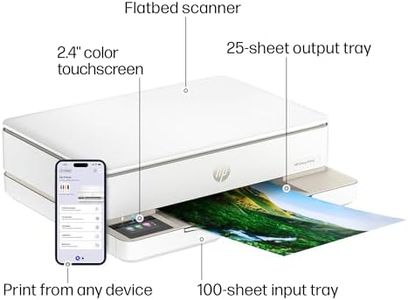
HP Envy 6155e Wireless All-in-One Color Inkjet Printer, Portobello, Print, scan, copy, Duplex printing Best-for-home, 3 month Instant Ink trial included, AI-enabled (714L5A)
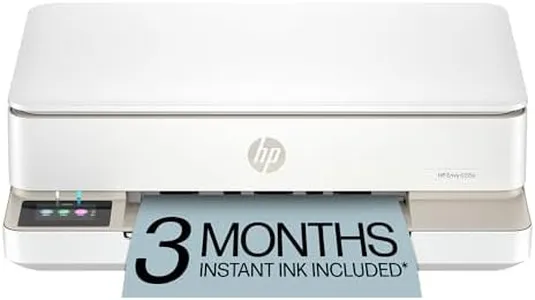
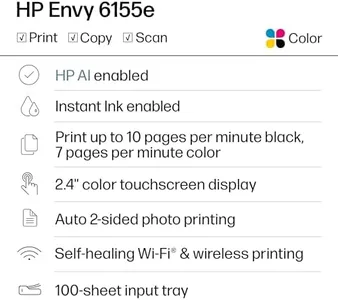
Print Speed: 10 ppm black, 7 ppm color
Print Quality: 1200x1200 dpi black, 4800x1200 dpi color
Connectivity Options: Wi-Fi 802.11a/b/g/n/ac, USB 2.0, App
Paper Handling: 100-sheet input, 25-sheet output, various sizes
Scanning Features: Flatbed, 300x300 dpi black and color
Duplex Printing: Automatic (standard)
Ink or Toner Costs: HP Instant Ink, 3-month free trial
How do we rank products for you?

Our technology thoroughly searches through the online shopping world, reviewing hundreds of sites. We then process and analyze this information, updating in real-time to bring you the latest top-rated products. This way, you always get the best and most current options available.

headphones-stars

Buying Guide for the Best Multifunction Printers

When choosing a multifunction printer, it's important to consider your specific needs and how you plan to use the device. Multifunction printers combine printing, scanning, copying, and sometimes faxing capabilities into one machine, making them a versatile choice for both home and office use. To find the best fit for you, you'll need to evaluate several key specifications and understand how they align with your requirements.
Print SpeedPrint speed is measured in pages per minute (PPM) and indicates how quickly a printer can produce documents. This spec is important because it affects how long you'll wait for your print jobs to complete. For light home use, a lower PPM (around 10-20) may be sufficient. For a busy office environment, look for higher speeds (20-40 PPM or more) to ensure efficiency and productivity. Consider your typical print volume and how often you need to print large documents when choosing the right print speed.
Print QualityPrint quality is measured in dots per inch (DPI) and determines the clarity and detail of printed documents and images. Higher DPI values (1200 DPI or more) produce sharper and more detailed prints, which is important for professional documents and high-quality photos. For general document printing, a lower DPI (600-1200 DPI) may be adequate. Think about the type of documents you print most often—if you need high-quality graphics or photos, prioritize higher DPI.
Connectivity OptionsConnectivity options refer to how the printer connects to your devices. Common options include USB, Wi-Fi, Ethernet, and Bluetooth. Wi-Fi and Ethernet are ideal for networked environments, allowing multiple users to access the printer. USB connections are straightforward for single-user setups. Bluetooth is useful for printing directly from mobile devices. Consider your setup and how you prefer to connect your devices to the printer when evaluating connectivity options.
Paper HandlingPaper handling includes the types and sizes of paper the printer can accommodate, as well as the capacity of its paper trays. This spec is important for ensuring the printer meets your document needs. For example, if you frequently print on different paper sizes or types (like envelopes or cardstock), look for a printer with versatile paper handling capabilities. Additionally, a larger paper tray capacity (250 sheets or more) is beneficial for high-volume printing to reduce the frequency of refilling.
Scanning FeaturesScanning features include the resolution, speed, and capabilities of the scanner. Higher resolution (measured in DPI) provides more detailed scans, which is important for digitizing photos or detailed documents. Scanning speed, measured in pages per minute (PPM), affects how quickly you can digitize documents. Some multifunction printers offer additional features like automatic document feeders (ADF) for scanning multiple pages at once. Consider how often you scan documents and the level of detail you need when evaluating scanning features.
Duplex PrintingDuplex printing refers to the printer's ability to print on both sides of a sheet of paper automatically. This feature is important for saving paper and creating professional-looking double-sided documents. If you frequently print reports, brochures, or booklets, a printer with automatic duplex printing can be very beneficial. For occasional use, manual duplex printing (where you manually flip the paper) may suffice, but automatic duplexing is more convenient and efficient.
Ink or Toner CostsInk or toner costs refer to the ongoing expenses of replacing the printer's consumables. This spec is important because it affects the total cost of ownership over time. Inkjet printers typically use ink cartridges, while laser printers use toner cartridges. Consider the cost per page and the yield (number of pages per cartridge) when evaluating this spec. If you print frequently, look for printers with high-yield cartridges or lower cost per page to keep expenses manageable.

FAQ