We Use CookiesWe use cookies to enhance the security, performance, functionality and for analytical and promotional activities. By continuing to browse this site you are agreeing to our privacy policy

10 Best Photo Printer Scanners 2026 in the United States

#1

Winner

10.0 score

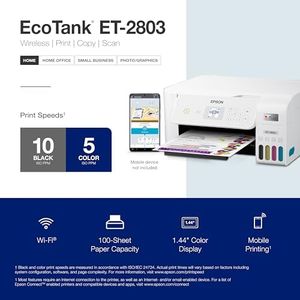
Epson EcoTank ET-2800 Wireless Color All-in-One Cartridge-Free Supertank Printer with Scan and Copy – The Ideal Basic Home Printer - Black, Medium

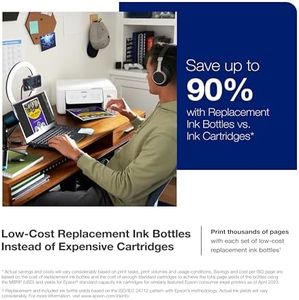
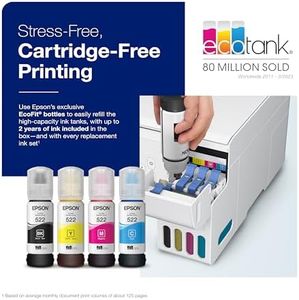
The Epson EcoTank ET-2800 is a versatile all-in-one printer that stands out for its innovative cartridge-free printing system. This feature not only eliminates the hassle of changing small ink cartridges but also offers significant savings on ink costs—up to 90% compared to traditional cartridges. With a capacity to print thousands of pages before needing a refill, it’s ideal for families or home offices that require frequent printing without constant trips to the store for ink. Additionally, the printer produces impressive print quality with a high resolution of 5760 x 1440 dpi, making it great for both text and color images.

Rating
10.0
Chosen by1,398
Color Accuracy
Connectivity Options
Software and Compatibility

Most important from
18560 reviews

Color Accuracy
The print quality is excellent, with bright and vivid colors, making it ideal for photo printing.
Connectivity Options
Entering the WiFi password is cumbersome due to the small display and non-intuitive buttons.
Software and Compatibility
Mac compatibility is seamless, with straightforward installation and full support.
Size and Design
The compact and lightweight design takes up less desk space and is easy to move.
#2
8.5 score

ScanSnap iX1600 Wireless or USB High-Speed Cloud Enabled Document, Photo & Receipt Scanner with Large Touchscreen and Auto Document Feeder for Mac or PC, 17 watts, Black

The ScanSnap iX1600 is a versatile document and photo scanner designed for home users and small businesses who need a fast, reliable way to scan various materials like receipts, photos, and documents. It offers a sharp scan resolution of 600 dpi, which is sufficient for clear photo and document scans. With a fast scanning speed of up to 40 pages per minute and automatic duplex scanning, it handles large scan jobs efficiently. The large color touchscreen makes navigation simple, allowing easy access to up to 30 customizable scanning profiles, which is handy for different types of scanning tasks.

Rating
8.5
Scan Resolution
Connectivity Options
Media Handling

Most important from
4876 reviews

Scan Resolution
The quality of scanned photos can surpass the original image, producing clear, compact files ideal for archiving and sharing.
Connectivity Options
Setup is straightforward, seamlessly switching between USB and Wi-Fi without complicated configuration or interruptions.
Media Handling
Scanning batches of mixed media like photos, receipts, and documents is effortless, with reliable duplex scanning that detects and skips blank pages.
Software and Compatibility
ScanSnap Home software offers a clean, unified interface that combines document management and scanner settings, greatly improving on older, fragmented software.
Size and Design
The scanner is compact and portable, folding into a neat package for easy transport between locations.
#3
8.5 score

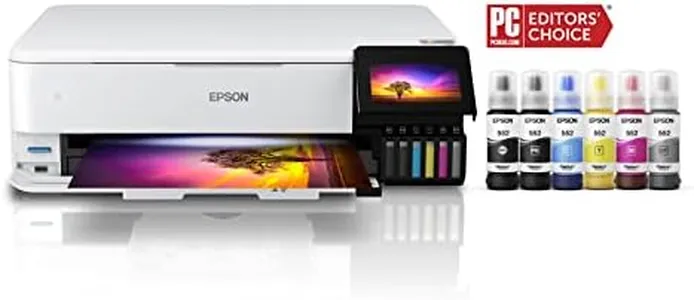
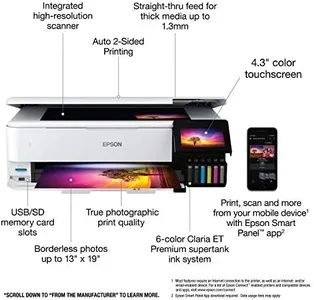
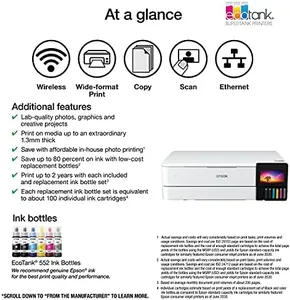
Epson EcoTank Photo ET-8550 Wireless Wide-format Color All-in-One Supertank Printer with Scanner, Copier, Ethernet and 4.3-inch Color Touchscreen

The Epson EcoTank Photo ET-8550 is a versatile all-in-one photo printer and scanner that excels in producing high-quality prints with vibrant colors and sharp details, thanks to its advanced 6-color ink system. Users can quickly print a 4 x 6-inch photo in about 15 seconds, making it suitable for anyone looking to create lab-quality images at home. One of its standout features is the cartridge-free system, resulting in significant savings—printing a 4 x 6-inch photo costs around just 4 cents, compared to 40 cents with traditional cartridges. Additionally, the EcoTank design allows for low-cost ink replacements, saving up to 80% compared to standard ink cartridges, and providing enough ink to last for up to two years or approximately 6,200 pages.

Rating
8.5
Print Resolution
Color Accuracy
Print Speed

Most important from
2105 reviews

Print Resolution
Gloss prints on Epson ultra premium paper are simply the finest gloss prints I've ever seen.
Color Accuracy
Prints on many different materials like sticker paper, cardstock, and holographic paper with great accuracy.
Print Speed
The printer is very fast and creates incredible photos.
Connectivity Options
The wireless print function is really great; printing a 4x6 from my phone is just a few clicks away.
Media Handling
Prints on many different materials like sticker paper, cardstock, and holographic paper with great accuracy.

Top 10 Best Photo Printer Scanners 2026 in the United States

#1

Winner

10.0  score

Epson EcoTank ET-2800 Wireless Color All-in-One Cartridge-Free Supertank Printer with Scan and Copy – The Ideal Basic Home Printer - Black, Medium

Print Resolution: 5760 x 1440 dpi
Print Speed: 10 ppm (mono), 5 ppm (color)
Connectivity Options: Wi-Fi, USB
Media Handling: Envelopes, plain paper, glossy photo paper
Software and Compatibility: Epson Smart Panel, AirPrint
Size and Design: 14.8"D x 22.8"W x 10"H

Chosen by 1398 this week

Epson EcoTank Photo ET-8550 Wireless Wide-format Color All-in-One Supertank Printer with Scanner, Copier, Ethernet and 4.3-inch Color Touchscreen

Color Accuracy: excellent
Print Speed: 16 ppm (Mono), 12 ppm (Color)
Connectivity Options: Wireless, USB
Media Handling: Up to 13" x 78.7"
Software and Compatibility: Epson Smart Panel, iOS, Android
Size and Design: 29.8"D x 20.6"W x 16.9"H

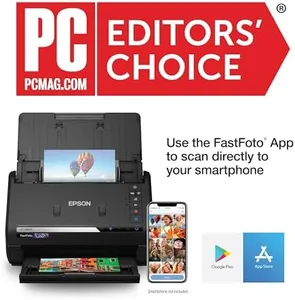
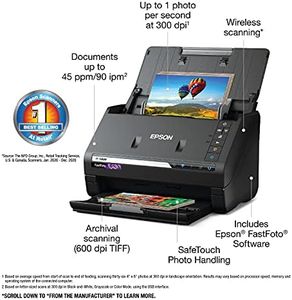
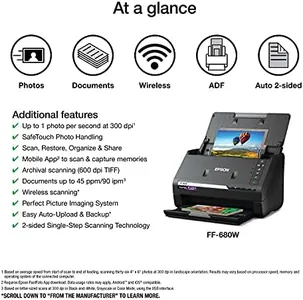
Epson FastFoto FF-680W Wireless High-Speed Photo and Document Scanning System, Black

Scan Resolution: 300 dpi
Connectivity Options: USB, Wi-Fi
Media Handling: Batch scanning up to 36 photos
Software and Compatibility: OCR, cloud storage apps
Size and Design: 6.7 x 11.7 x 6.9 inches

Epson EcoTank Pro ET-5800 Wireless Color All-in-One Supertank Printer with Scanner, Copier, Fax and Ethernet, White

Print Resolution: 4800 x 2400
Print Speed: 25 ppm black, 12 ppm color
Connectivity Options: Wi-Fi 802.11ac, Ethernet, USB
Media Handling: Borderless up to 8.5x14, 250-sheet tray
Software and Compatibility: Basic software, PC and laptop compatible
Size and Design: 32.4"D x 16.7"W x 18.1"H, 39.2 lbs

Brother MFC-L3720CDW Wireless Color Laser Printer with Scanner, Copier and Fax | Auto Duplex and 250-Sheet Capacity | Includes Refresh Subscription Trial(1). Amazon Dash Replenishment Ready

Print Resolution: 2400 x 600 dpi
Scan Resolution: 300 dpi
Color Accuracy: solid for business documents
Print Speed: 19 ppm
Connectivity Options: dual-band Wi-Fi, Wi-Fi Direct, USB
Media Handling: envelopes, labels, card stock, glossy paper
Software and Compatibility: cloud access, smartphones, PC, tablets, laptops
Size and Design: 16.1"D x 17.5"W x 15.8"H, 44 lbs

Canon MegaTank G3270 All-in-One Wireless Inkjet Printer. for Home Use, Print, Scan and Copy

Print Resolution: 4800 x 1200
Print Speed: 11 ppm (mono), 6 ppm (color)
Connectivity Options: Wi-Fi, USB
Media Handling: Single tray, 100-sheet, Borderless
Software and Compatibility: Smartphones, PC; App; iOS
Size and Design: 21.9"D x 16.4"W x 10.6"H

HP Laserjet Pro MFP 4101fdw Wireless Black & White All-in-One Laser Printer, Scanner, Copier, Fax, Best-for-Office (2Z619F)

Print Resolution: 1200 x 1200 dpi
Scan Resolution: 1200 x 1200 dpi
Print Speed: 42 pages per minute
Connectivity Options: USB, Ethernet, Wi-Fi
Media Handling: Envelopes, Paper, Labels; 11 trays
Software and Compatibility: Smartphones, PC, Tablets, Laptops
Size and Design: 16.54"D x 12.72"W x 15.35"H

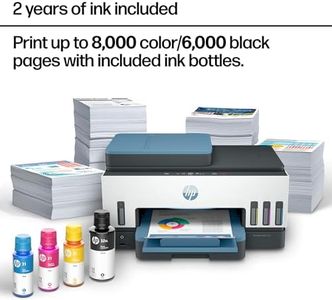
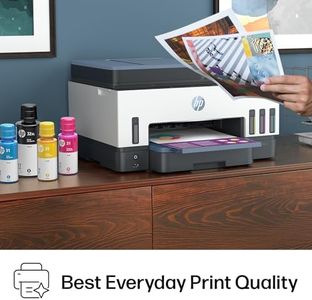
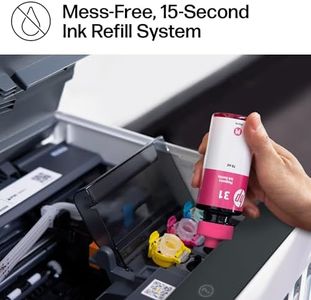
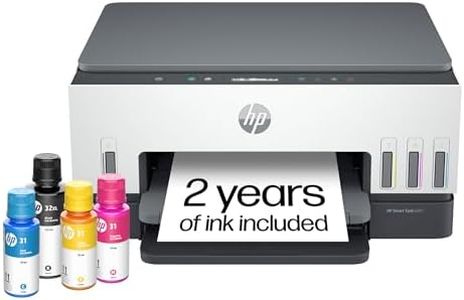
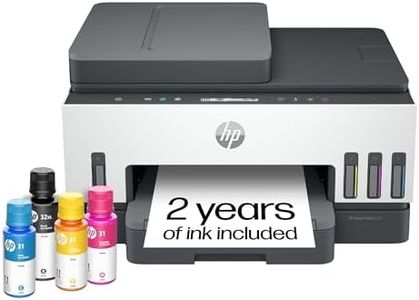
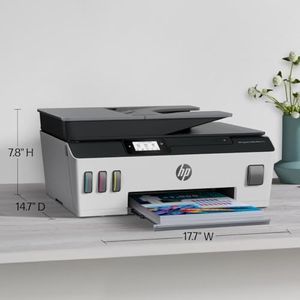
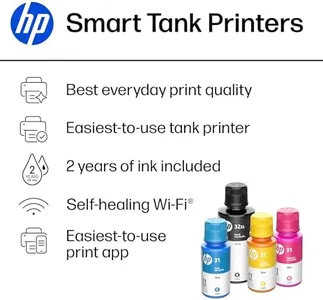
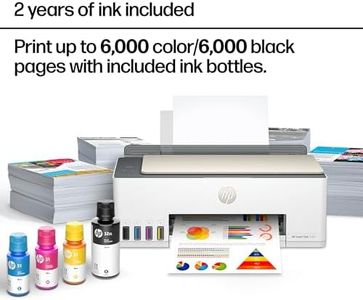
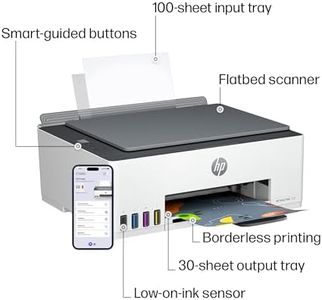
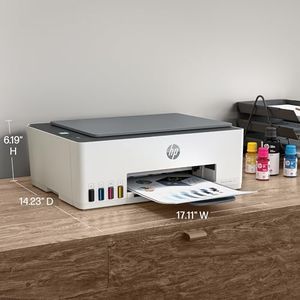
HP Smart Tank Plus 651 Wireless All-in-One Printer, Ink Tank Printer-for-Home Use, up to 2 Years of Ink in Bottles, Auto Document Feeder, Mobile Print, Scan, Copy, Fax (7XV38A)

Print Resolution: 600x1200 dpi B&W, 4800x1200 dpi Color
Print Speed: 11 ppm B&W, 5 ppm Color
Connectivity Options: Wireless, USB 2.0, Bluetooth
Media Handling: Envelopes, Glossy, Plain paper; Max 8.5x14"
Software and Compatibility: Laptops, PC, Smartphones; App control; Alexa
Size and Design: 14.7x17.7x7.8 in; White/Black; 10.27 lbs
How do we rank products for you?

Our technology thoroughly searches through the online shopping world, reviewing hundreds of sites. We then process and analyze this information, updating in real-time to bring you the latest top-rated products. This way, you always get the best and most current options available.

headphones-stars

Buying Guide for the Best Photo Printer Scanners

When choosing a photo printer scanner, it's important to consider your specific needs and how you plan to use the device. Whether you're a professional photographer, a hobbyist, or someone who just wants to print and scan family photos, there are several key specifications to keep in mind. Understanding these specs will help you make an informed decision and ensure you get a product that meets your requirements.
Print ResolutionPrint resolution is measured in dots per inch (DPI) and indicates the level of detail a printer can produce. Higher DPI values mean better print quality, which is crucial for photo printing. For professional-quality photos, look for a printer with at least 1200 DPI. For casual use, 600 DPI may be sufficient. Consider what level of detail you need in your prints to choose the right resolution.
Scan ResolutionScan resolution, also measured in DPI, determines the detail and clarity of scanned images. Higher DPI values are important if you plan to enlarge photos or need high-quality digital copies. For professional use, aim for a scanner with at least 1200 DPI. For general use, 600 DPI should be adequate. Think about how you will use the scanned images to decide on the appropriate resolution.
Color AccuracyColor accuracy refers to how well a printer can reproduce the colors in your photos. This is particularly important for photographers and artists who need true-to-life colors. Look for printers with advanced color management features and those that use multiple ink cartridges to achieve a wider color gamut. If color precision is less critical for you, a standard color printer may suffice.
Print SpeedPrint speed is measured in pages per minute (PPM) and indicates how quickly a printer can produce prints. Faster print speeds are beneficial if you need to print large volumes of photos quickly. However, higher speeds can sometimes compromise print quality. For occasional printing, speed may not be as crucial, but for frequent use, consider a printer with a good balance of speed and quality.
Connectivity OptionsConnectivity options determine how you can connect your printer scanner to other devices. Common options include USB, Wi-Fi, and Bluetooth. Wi-Fi and Bluetooth allow for wireless printing and scanning, which can be more convenient. If you plan to print directly from your smartphone or tablet, look for models with mobile printing capabilities. Choose the connectivity options that best fit your workflow and device ecosystem.
Media HandlingMedia handling refers to the types and sizes of paper a printer can accommodate. If you plan to print on various media types, such as glossy photo paper, cardstock, or different sizes, ensure the printer supports them. Some printers also have multiple paper trays for different media. Consider what types of media you will use most frequently to choose a printer that can handle them efficiently.
Software and CompatibilityThe software and compatibility of a printer scanner can affect its ease of use and functionality. Look for models that come with user-friendly software for editing and managing your prints and scans. Ensure the device is compatible with your operating system and any photo editing software you use. Compatibility with cloud services can also be a plus for easy storage and sharing of your photos.
Size and DesignThe size and design of a photo printer scanner can impact where you can place it and how it fits into your workspace. Compact models are ideal for small spaces, while larger models may offer more features and better performance. Consider the available space in your home or office and choose a design that complements your environment and meets your functional needs.

FAQ